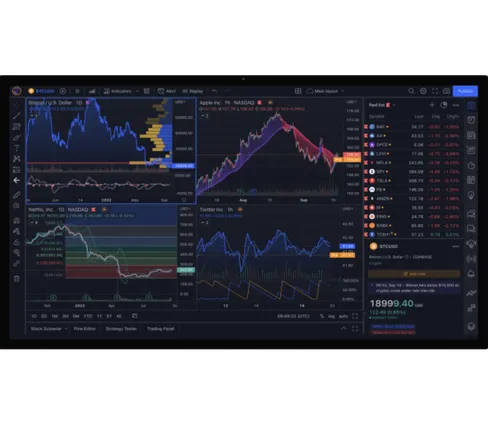
The full TradingView analytical environment, with Capital·com pricing, markets and support.


By creating an account, I confirm that I have read and understood the Privacy Policy
Connected in four steps
Step 1. Create a Capital·com account.
Step 2. Click 'Link account' below to connect your account with TradingView.
Step 3. Click 'Connect' in the pop-up, then sign in to Capital·com and confirm.
Step 4. Once connected, you can trade directly in TradingView.
What you can expect on Capital.com
Recognised. Rated. Trusted.
Awarded Best CFD Broker at the 2026 Broker Chooser Awards. Rated 4.6 on Trustpilot.
Supported locally, connected globally
Serving clients across Europe, the UK and UAE with multilingual support.
Every data point, one place
Market data, analysis tools and portfolio context. Structured for the decision, not the transaction.
Clear costs, full visibility
Transparent spreads and no hidden charges. A clear cost structure before you commit.
Payments without friction
Fee-free deposits and withdrawals across multiple trusted payment providers. Other fees apply.
5,500+ CFD markets
Indices, FX, commodities, and more — global CFD assets from a single environment.

 Ratings and Reviews
 Ratings and Reviews
FAQs
On what devices can I use TradingView?
TradingView is available on desktop, mobile and tablet devices.
How can I trade on TradingView?
You can trade CFDs directly on TradingView by connecting your Capital.com account. With this integration, you can access advanced charting tools and place trades across global markets without leaving the TradingView interface.
Trading involves leverage, which allows you to control larger positions with a smaller initial commitment. Leverage increases both potential gains and potential losses, so it should be used with care and appropriate risk management.
What markets can I trade with TradingView?
By connecting your Capital.com account to TradingView, you can access CFDs on more than 5,500 global markets, including shares, indices and forex.
