Take your trading further with MetaTrader 5 – the next-generation platform for derivative traders. Enjoy advanced charting tools, more timeframes, faster execution and access to global markets.

What is MetaTrader 5?
MetaTrader 5 (MT5) is a fast, flexible trading platform used globally for forex, stocks, indices, and commodities derivatives. It offers advanced charting, more order types, and greater customisation than MetaTrader 4.
MT5 supports algorithmic trading with MQL5, backtesting with real tick data, and market analysis across 21 timeframes – giving you the tools to trade with precision and control.
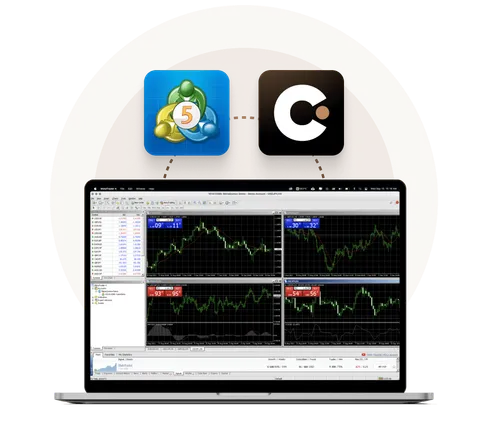
Why trade on MT5 with Capital.com?
Advanced charting
Analyse markets in greater depth with 21 timeframes (from 1-minute to 1-month), 38+ built-in indicators, 44 analytical objects, and multi-window chart views.
Faster processing
MT5 trading platform runs on a 64-bit, multi-threaded architecture for greater platform stability and faster trade execution – even during high volatility.
Expanded asset classes
Trade across a wide range of markets, including stocks, indices, and commodities – all from one MT5 account.
Customisable tools
Use MQL5 to build your own indicators, scripts and trading robots. The platform supports object-oriented programming, advanced debugging, and a cloud-enabled strategy tester with real tick data.
Flexible order management
Take advantage of six order types, including buy stop-limits and sell stop-limits, to fine-tune your trade entries and exits.
Seamless multi-device access
Stay in control wherever you trade. MT5 works across desktop, web and mobile – so you can monitor markets, run strategies and place trades with full platform functionality, anytime, anywhere.
What is the difference between MetaTrader 5 and MetaTrader 4?
| Feature | MT5 | MT4 |
| Timeframes | 21 | 9 |
| Technical indicators | 80 | 30 |
| Economic calendar | ✔️ | ❌ |
| Strategy tester | Multi-threaded | Single-threaded |
| Hedging | ✔️ | ✔️ |
| Asset classes | More (incl. stocks, ETFs) | Currency Pairs & Derivatives |
Connect your Capital.com account to MT5
Getting set up with MetaTrader 5 on Capital.com takes just a few minutes.
Step 1
Open your Capital.com account to enable MT5 (make sure you’re already verified to trade).
Step 2
Go to ‘Settings’ > ‘My accounts’ > ‘Add Live account’, follow the MT5 instructions, and get your MT5 credentials.
Step 3
Download MT5 for mobile OS, web or laptop. Input your MT5 credentials in the MT5 client. Now you’re ready to trade with MT5.
MetaTrader 5 is available across different platforms
For Mac
For Windows
Google Play
App Store
Web Terminal
Why choose Capital.com?
24/7 support: Around-the-clock customer care, with friendly and knowledgeable client support staff.

Fair and transparent pricing: Get full clarity on the spreads and fees we charge.

Rapid withdrawals: 99.4% of withdrawals are processed within 24 hours, according to our internal server data from 2024.


 Ratings and Reviews
 Ratings and Reviews

Free demo account
Refine your strategies and develop your skills with zero risk to your capital.
